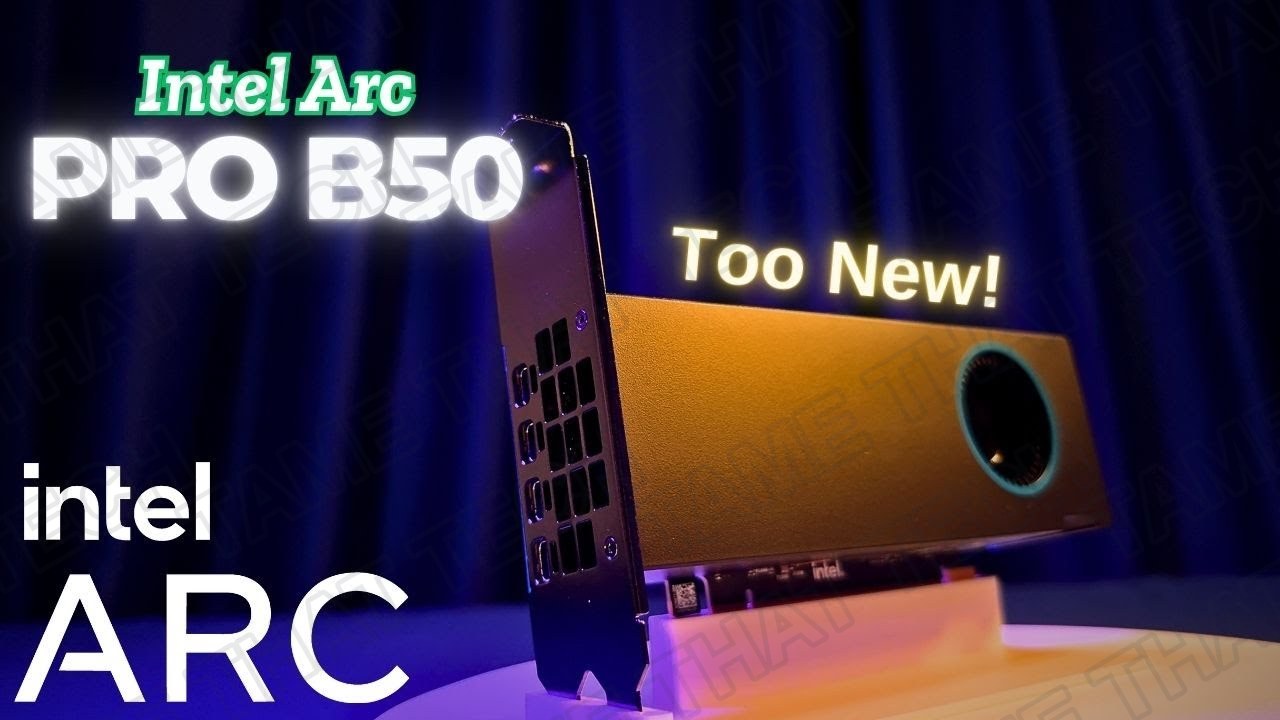
Intel Arc Pro B50 Review: 16GB VRAM Power in a Compact Workstation GPU
Intel’s Arc Pro lineup keeps growing, and the Arc Pro B50 is the entry-level professional card designed for small workstations: 16 GB of VRAM, low power consumption, and a compact footprint. It’s the little sibling to the Arc Pro B70 we reviewed with its 32 GB monster, so how does the budget pro card hold up for creative work, AI, and a little gaming on the side?
Short version: for compact workstations and AI projects on a budget, the B50 packs a surprising amount of value into a small, efficient card.
TL;DR: The 10-second verdict
| What it is | Intel’s entry-level Arc Pro workstation GPU: 16 GB VRAM, Battlemage Xe2, low power, compact/low-profile-friendly design |
| Who it’s for | Small workstations, SFF builds, and budget AI/creative projects that need real VRAM without a full-size card |
| The headline | 16 GB of VRAM and pro drivers in a small, efficient package: a legitimate option for compact workstations |
| The catch | Entry-level compute means heavy 3D/pro workloads trail bigger cards; Intel pro-driver maturity still lags NVIDIA for niche apps |
| Our take | A solid pick for compact, VRAM-hungry, budget-conscious workstation builds. If your software stack is Intel-friendly |
| Where To Buy (Affiliate Links) | Amazon · Later · JoyLink |
| Video Review | YouTube |
What It Is
The Arc Pro B50 is the compact entry point of Intel’s professional lineup: think of it as the smaller sibling to the Arc Pro B70’s 32 GB design, trading raw capacity and compute for a much smaller, lower-power footprint that fits small workstations and SFF builds.
Key strengths:
- 16 GB of VRAM, real headroom for creative projects and local AI workloads
- Low power consumption, efficient enough for compact chassis and small power supplies
- Compact design, built for small workstations, with pro-oriented drivers and features
- Battlemage Xe2 architecture, the same modern foundation as the bigger B70
Creative & AI Workloads
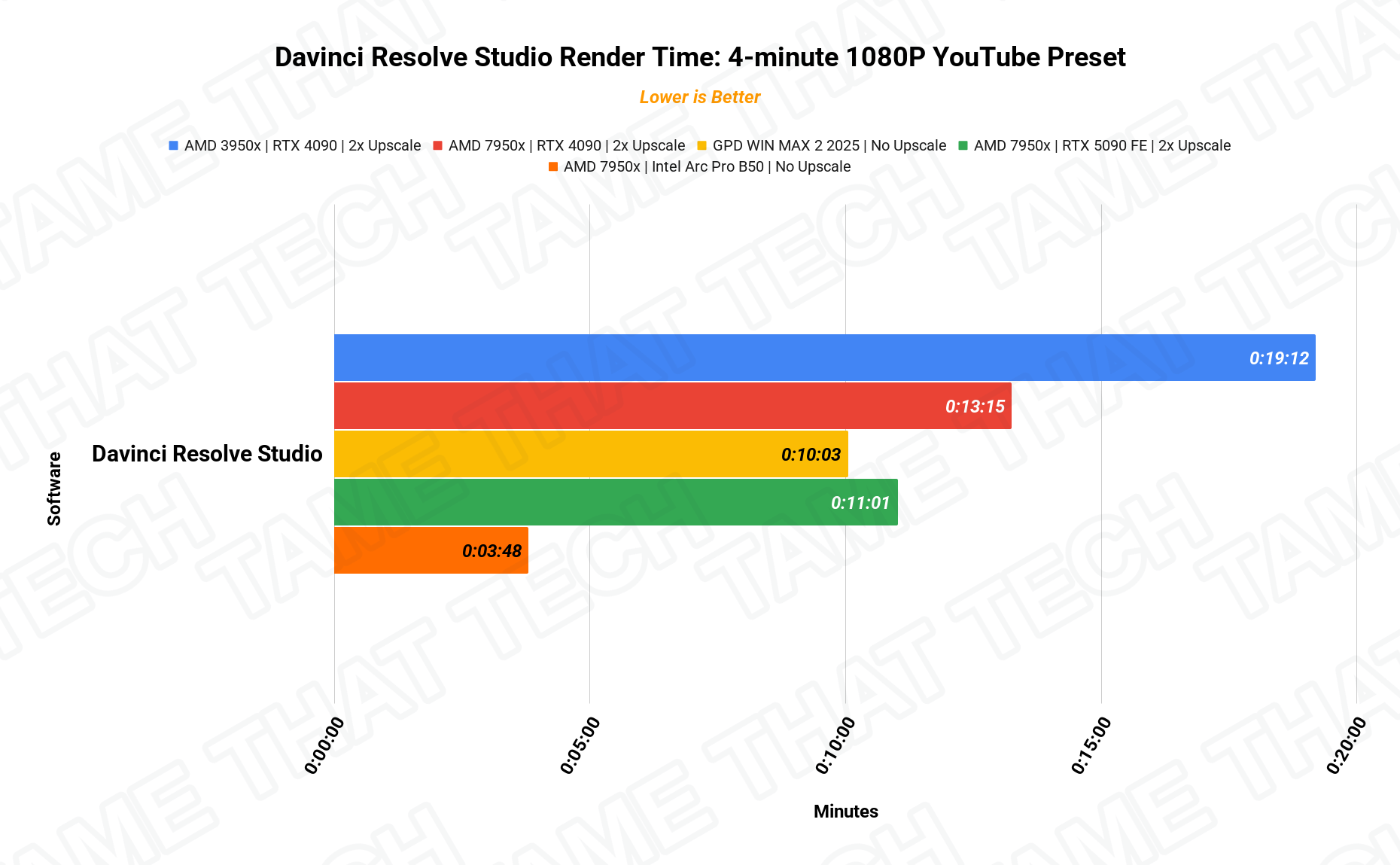
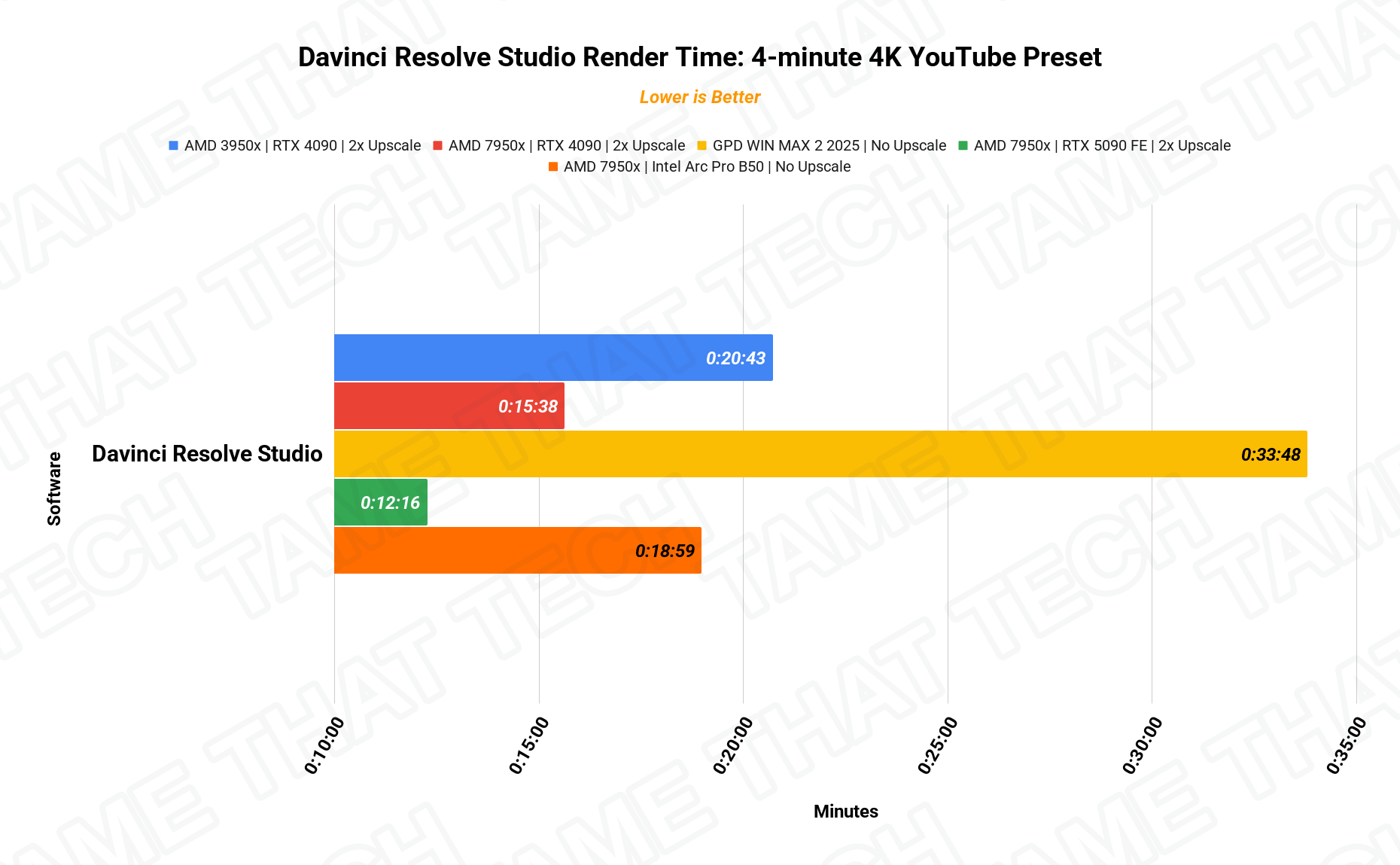
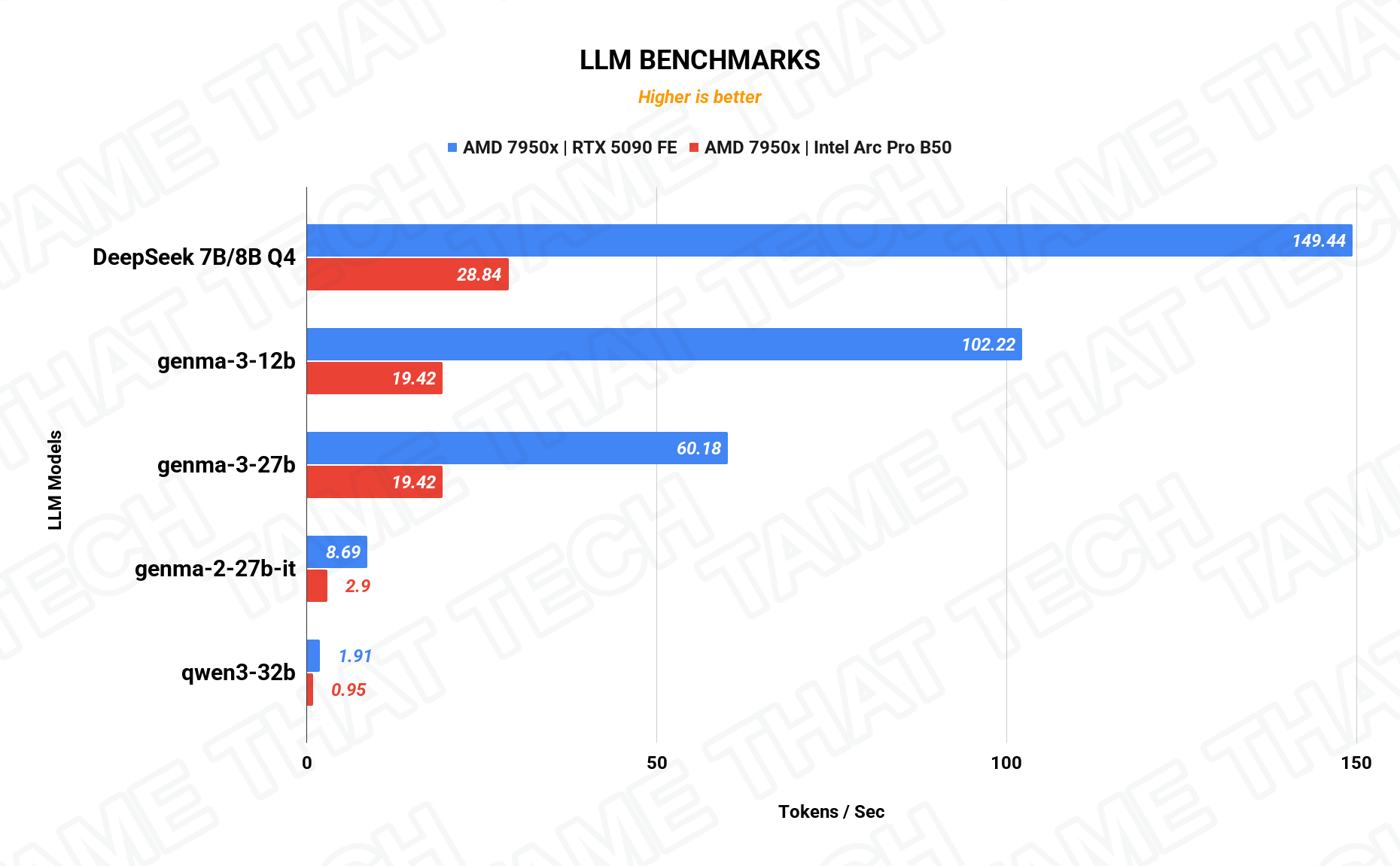
For creative and AI workloads, the 16 GB buffer is the story: it lets you work with larger models and heavier timelines than typical entry-level cards. The included charts show exactly how the B50 lands on DaVinci Resolve renders and LLM inference against the systems we’ve tested. It’s an entry-level card, so don’t expect the throughput of the B70 or NVIDIA’s big pro cards, but for compact workstations on a budget, the VRAM-per-dollar is genuinely competitive.
Gaming Performance
Even though this is a “Pro” card, it’ll game. Settings: MAXED quality, XeSS ON, no frame generation.
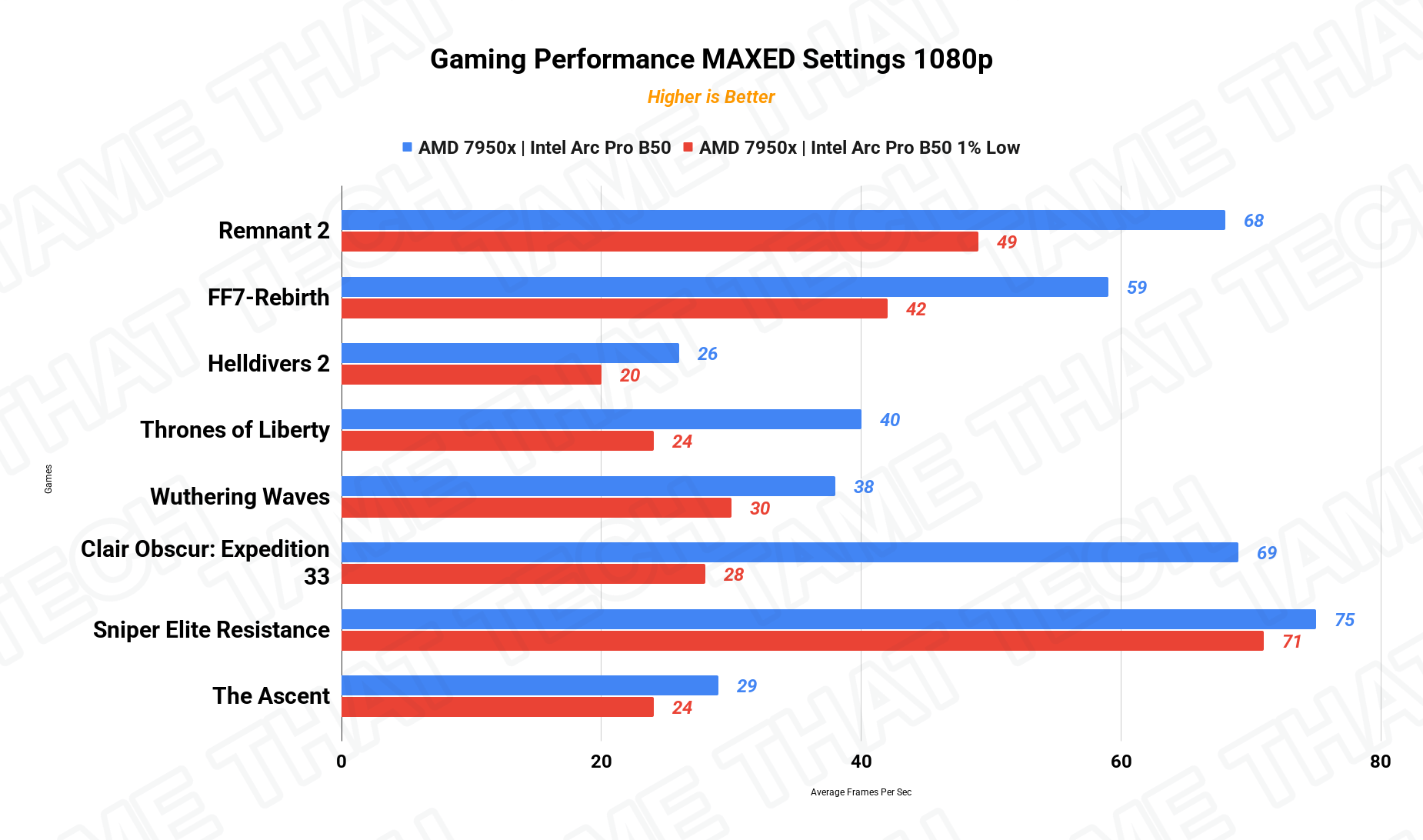
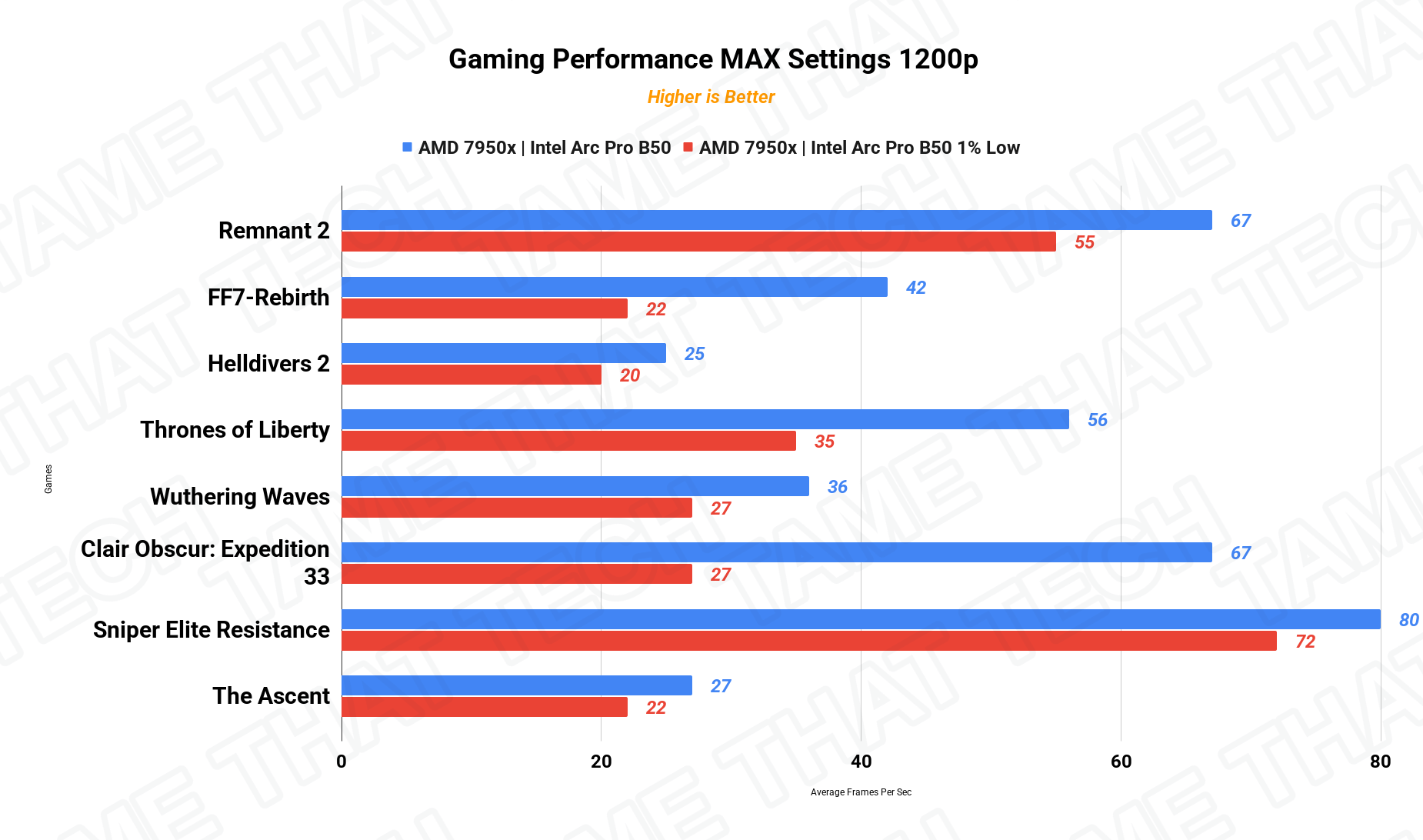
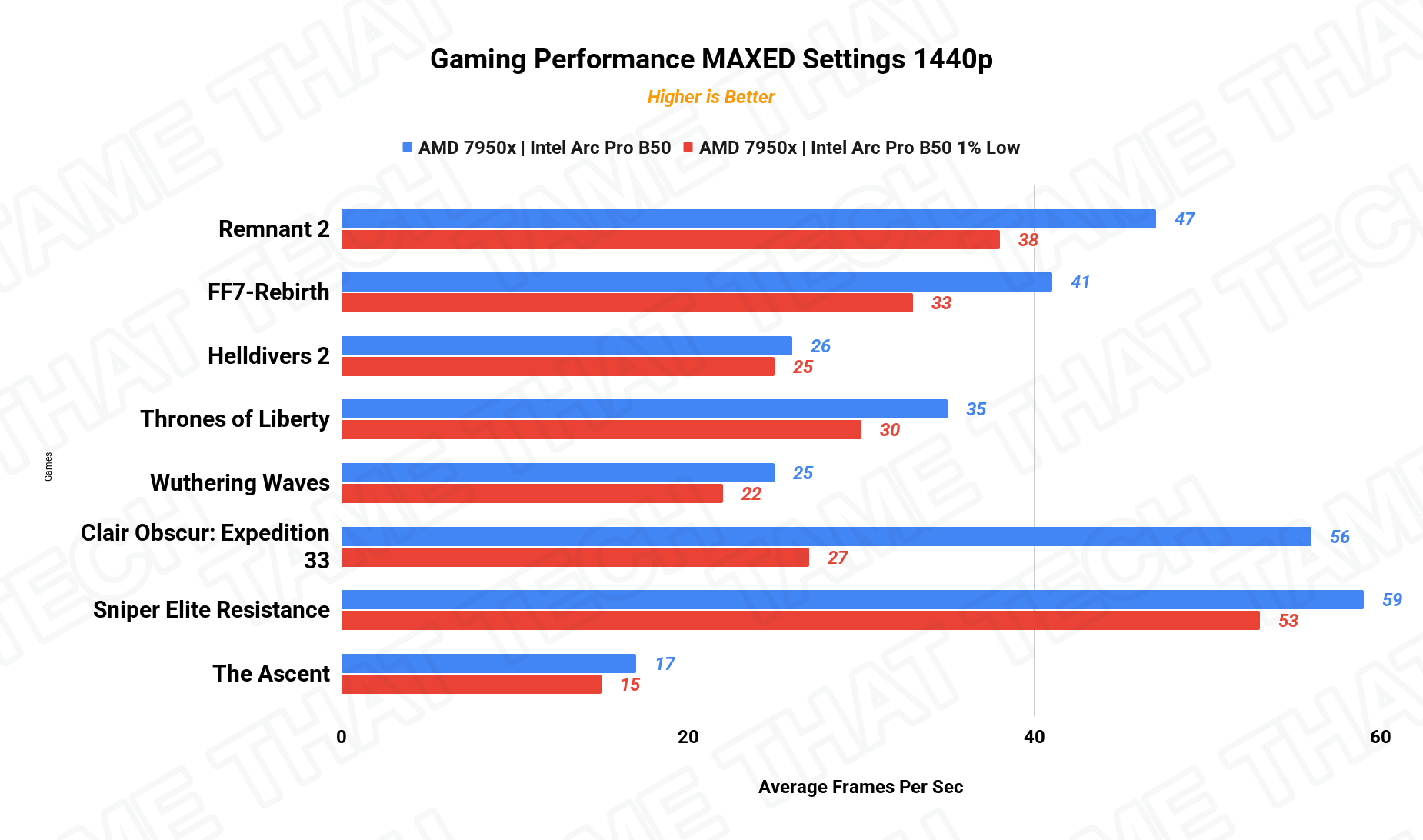
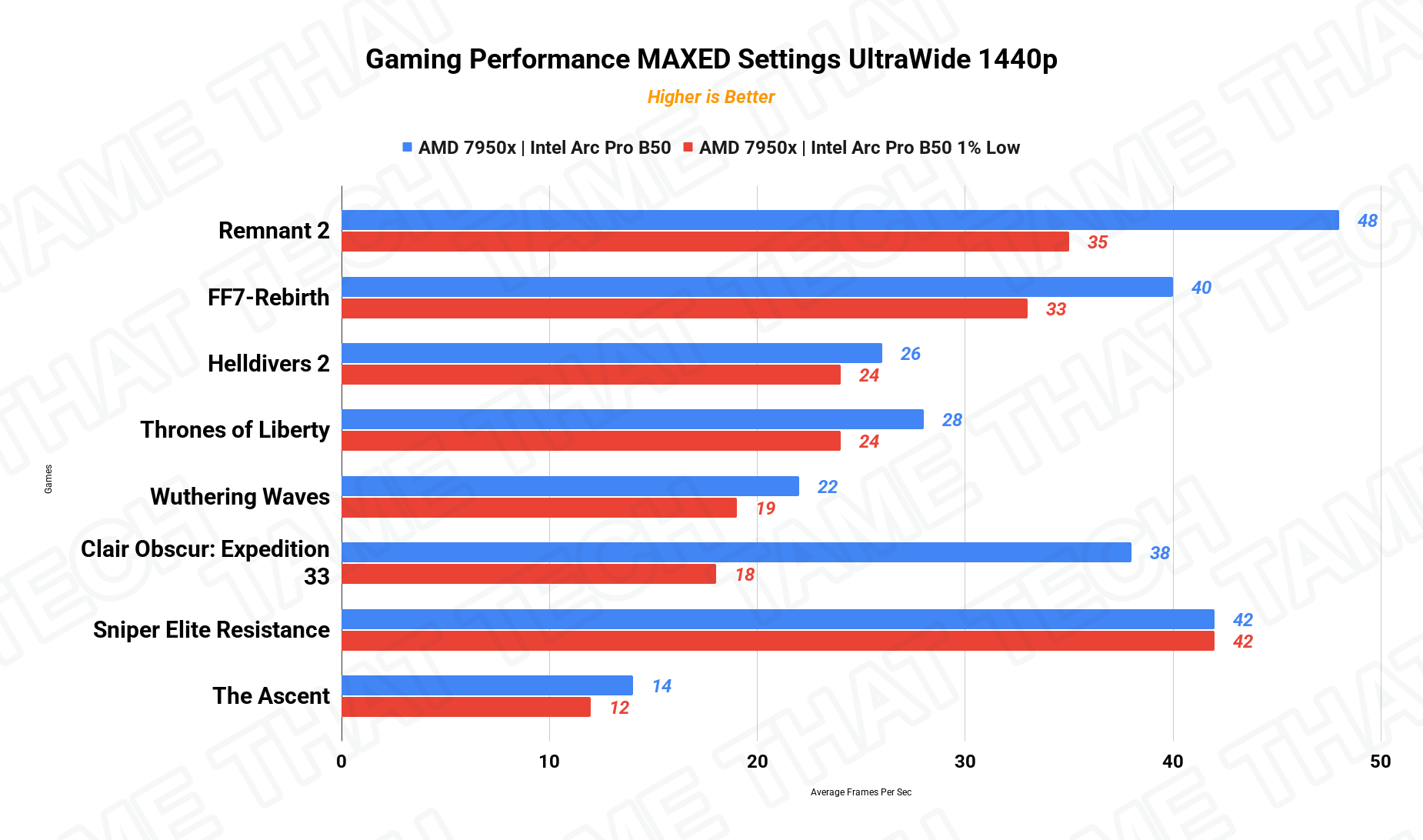
The B50 holds its own for a pro card: solid 1080p/1200p gaming with XeSS, playable at 1440p in less demanding titles. It’s not a gaming GPU first, but if your workstation doubles as a play machine, it won’t embarrass itself.
Price & Availability
The Arc Pro B50 sits at the budget end of Intel’s pro lineup: check current listings for your region. If your software stack is Intel-friendly (Resolve, Blender, and modern AI frameworks all are), it’s one of the best VRAM-per-dollar options in the compact workstation space. If you depend on niche CAD plugins, verify compatibility first. Intel’s pro-driver maturity is improving but still lags NVIDIA in some specialized apps.
Pros
- 16 GB of VRAM at an entry-level pro price
- Low power consumption, ideal for small/SFF workstations
- Compact design fits where full-size cards won’t
- Modern Battlemage Xe2 architecture
- Solid 1080p/1200p gaming for a pro card
Cons
- Entry-level compute, heavy 3D/pro workloads trail bigger cards
- Intel pro-driver certification still lags NVIDIA for niche CAD plugins
- Not a high-end gaming or rendering powerhouse
The bottom line
The Intel Arc Pro B50 is a solid pick for compact, budget-conscious workstation builds that need real VRAM: 16 GB in a small, efficient, Intel-friendly package. It’s not the B70, and it’s not an NVIDIA pro card, but for the price and footprint, it’s a legitimate contender for creative and AI workloads in small workstations.
— Tame That Tech Minion
Discussion